
Data collection of Pedican and how to use Pedican: |
|---|
|
1. Data collection of Pedican database Four steps to collect Pediatric cancer genes Curation Pediatric cancer genes from literature 2. Information for Pediatric cancer genes General information and literature evidence Text search of Pediatric cancer gene Quick access information in database Blast all protein and nucleotide sequences By chromosome, cancer type, and organ/tissue types By gene fusion and chromosome events
|
Data collection of Pedican database |
|
The primary aim of the database is to support pediatric cancer research by maintaining a high quality pediatric cancer gene database that serves as a comprehensive, fully classified, richly and accurately annotated Pediatric cancer gene resource, with extensive cross-references and querying interfaces freely accessible to the scientific community. |
Four steps to collect pediatric cancer genes |
|
Construction of this pediatric cancer gene database for Human genes involved four main steps: query pediatric cancer-related literatures; identification of the description related to pediatric cancer; mapping the description of pediatric cancer genes from literatures to Entrez gene database IDs; extensive annotations of cellular function, gene expression, mutation, methylation, transcription factor, post-translational modification, and protein-protein interaction. In detail, curation about pediatric cancer genes from the literature includes five steps before finally being included in the Pedican database: exhaustive searching for relevant abstracts from the PubMed databases using the key words "Pediatric cancer gene;" extracting the description for the pediatric cancer gene from text; grouping the descriptions extracted from PubMed abstracts records by their topics using Entrez related topic function; extraction of gene name from the grouped descriptions of the pediatric cancer genes; lastly, mapping the gene name to Entrez geneID. |
Exhaustive search: Extracting description: Group abstracts: Curation: Mappping the gene symbols: |
Information for pediatric cancer genes [ top ] |
|
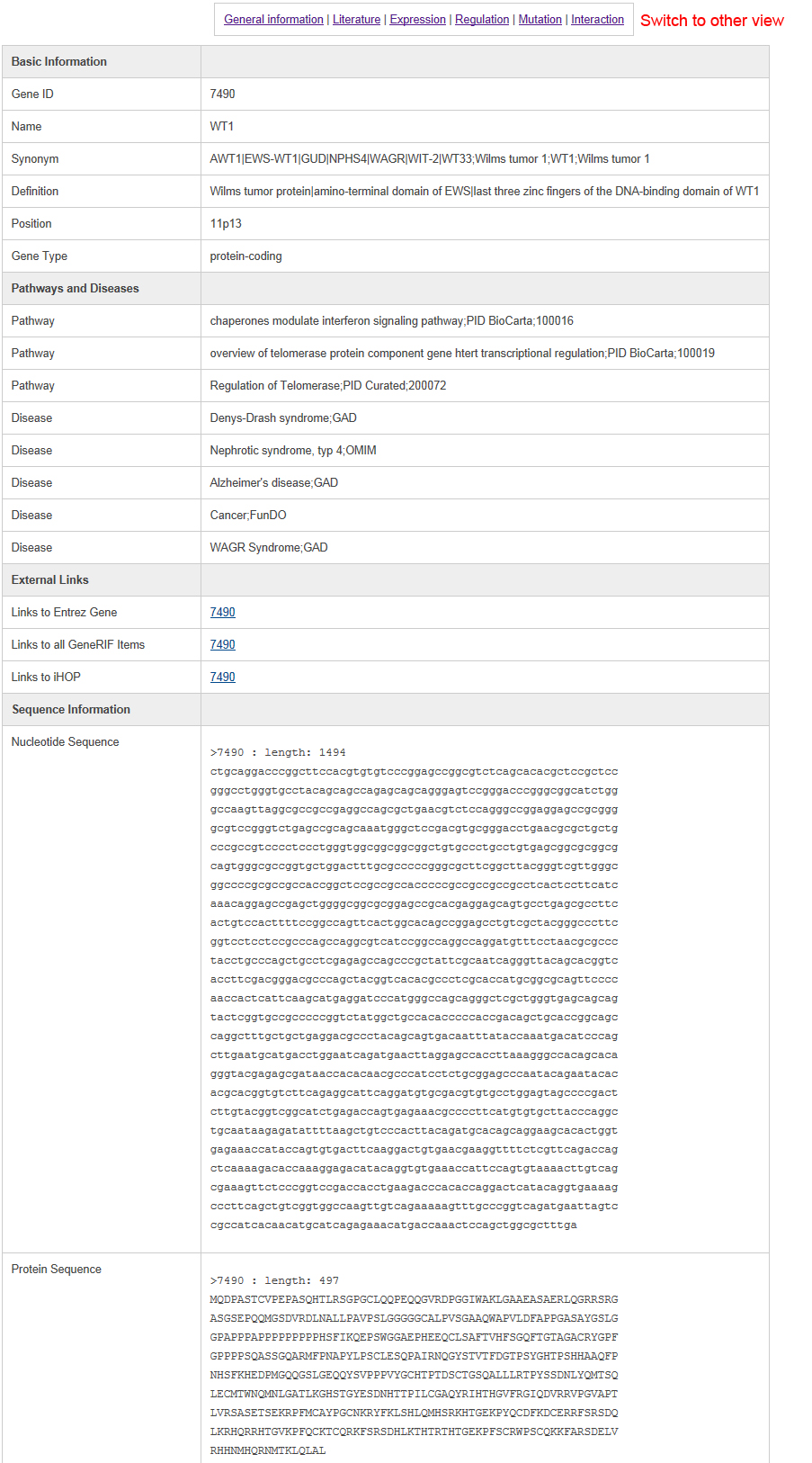
Information is represented on six different types of pages, including general information view, literature highlight view, gene expression view, gene regulation view, gene mutation view, and gene interaction view. The general information page is like the following:In this page, users can find the data source and our curated descriptions for pediatric cancer genes from literature. It is easy to switch to other annotations by clicking the hyperlink at the top of the page.
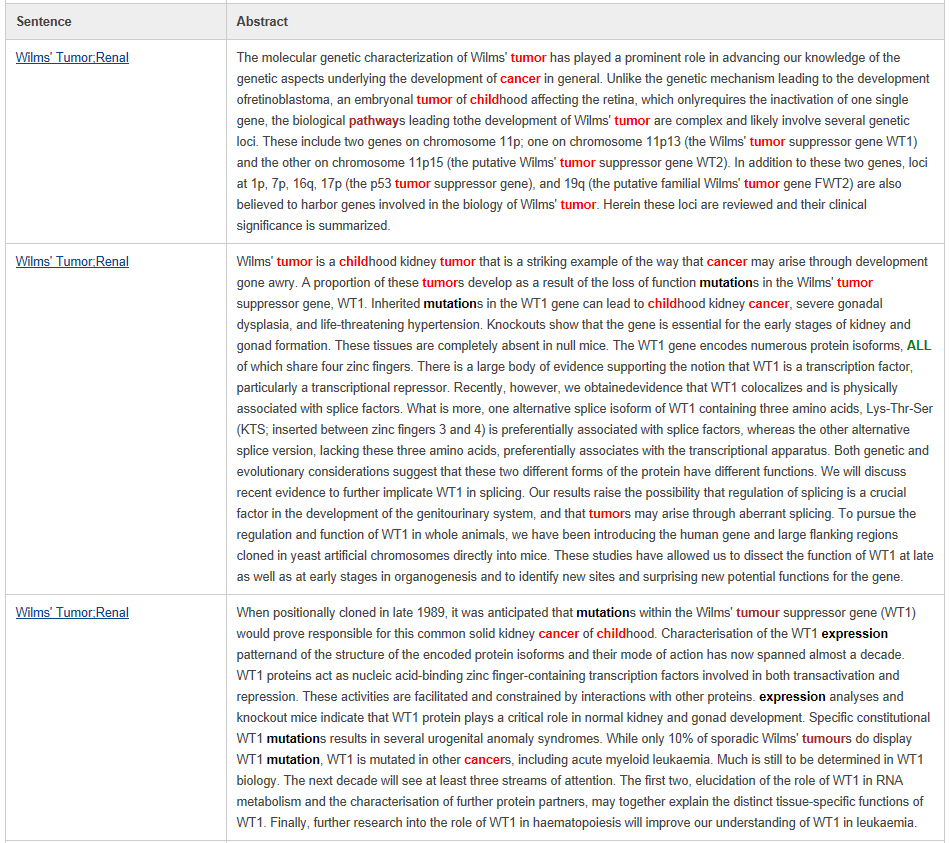
User can find the details of the literatures with keywords highlighted in the literature highlight page as below. The keyword "pediatric" and "childhood" is marked in red; keywords such as "cancer" and "pathway" are marked in brown; and the keywords such as "mutation" and "expression" are marked in black as shown in below.
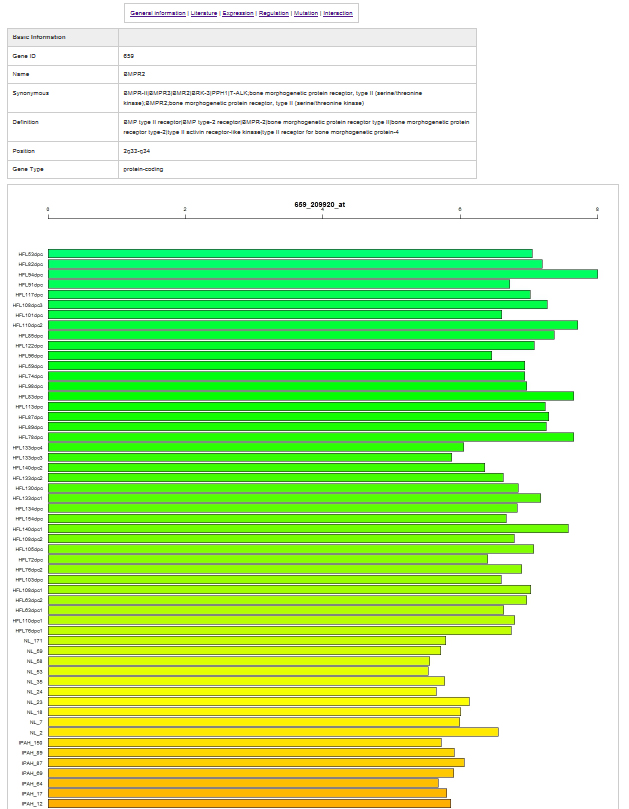
The gene expression page is as below:In the page, users can find gene expression profiles from 184 human tumor samples and 84 normal tissue samples from BioGPS. It is easy to view all the sample information by clicking the hyperlink in the profile images. Some genes have multiple probes; to provide an unbiased view for users, we presented all the gene expressions from all probes without any modification.
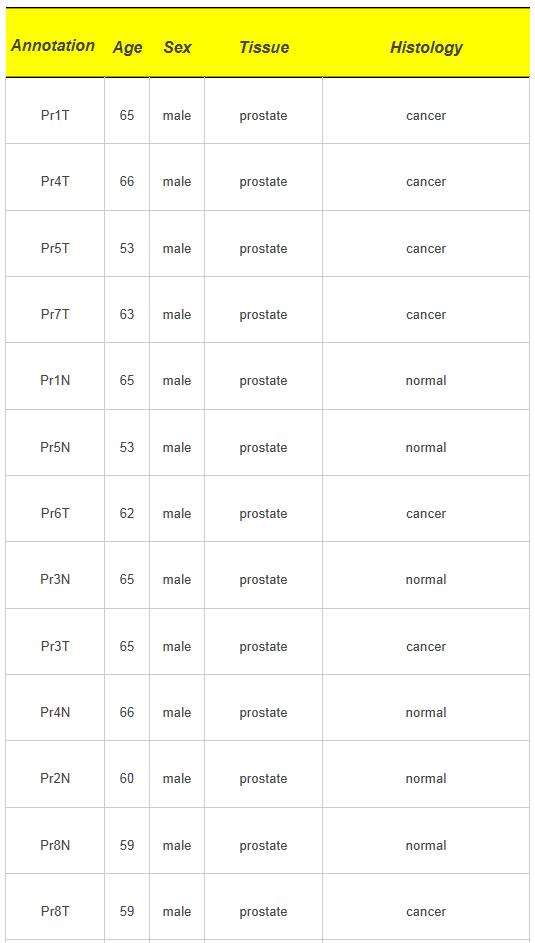
User can obtain all the sample inforamtion by clicking on the expression images.
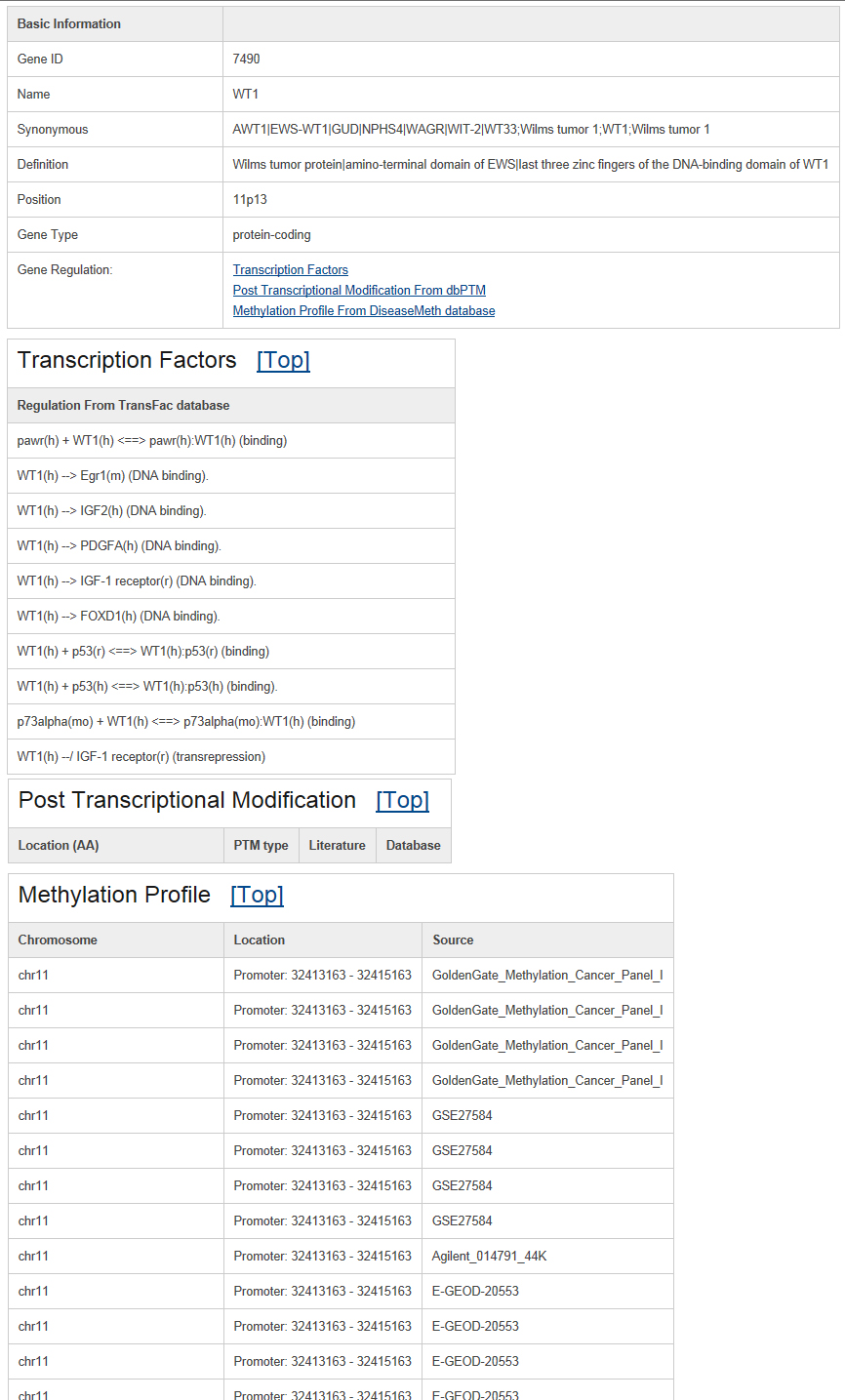
The gene regulation page appears as follows:The transcription factor regulation and post-transcriptional modification information were integrated from the TRANSFAC and dbPTM databases. In addition, the methylation in promoter regions was annotated based on data from the DiseaseMeth database.
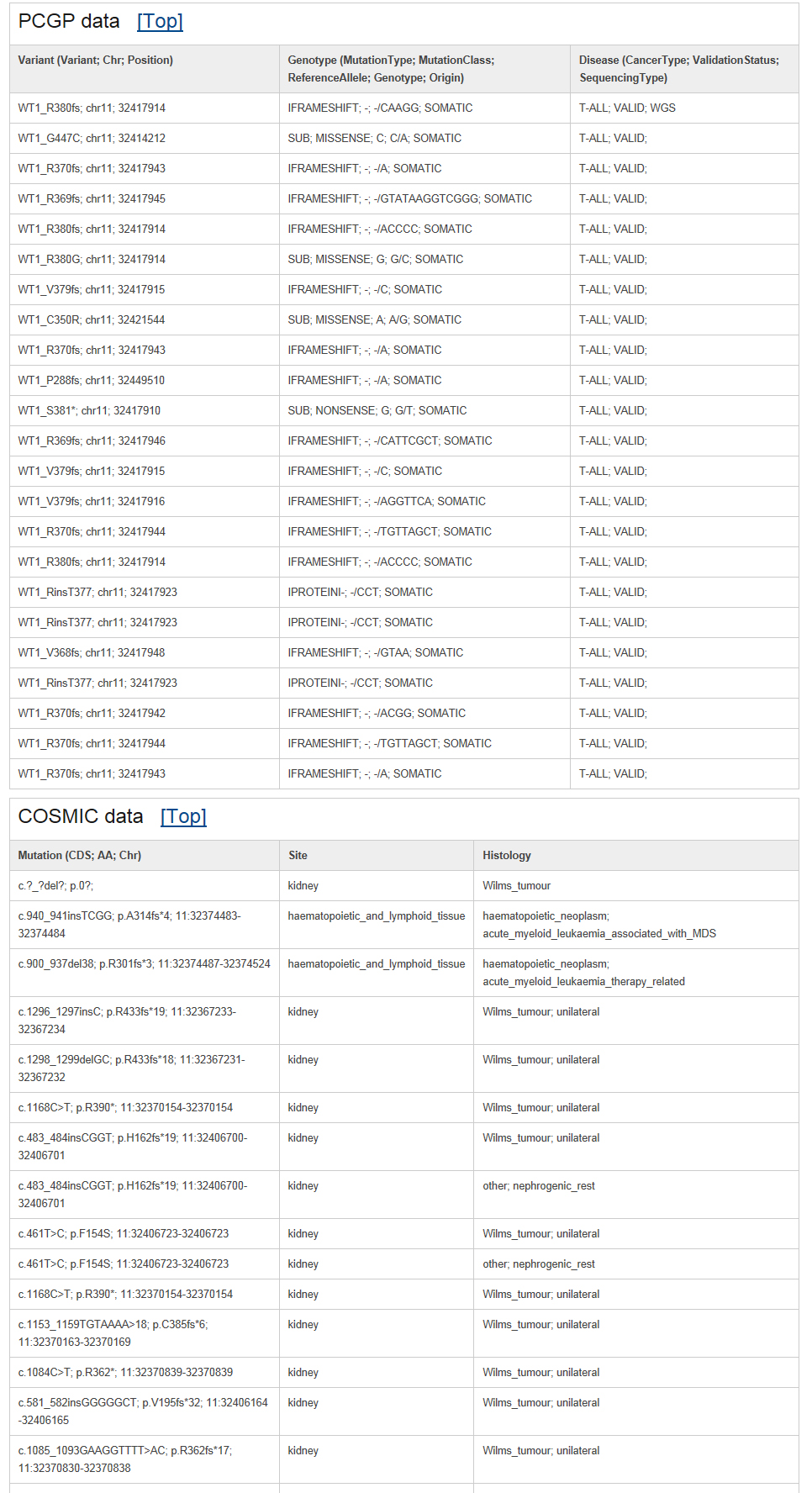
The gene mutation page appears as follows:All the mutations from Pediatric Cancer Genome Project (PCGP) were collected from its public website data portal All the other cancer related mutations were collected from the COSMIC database.
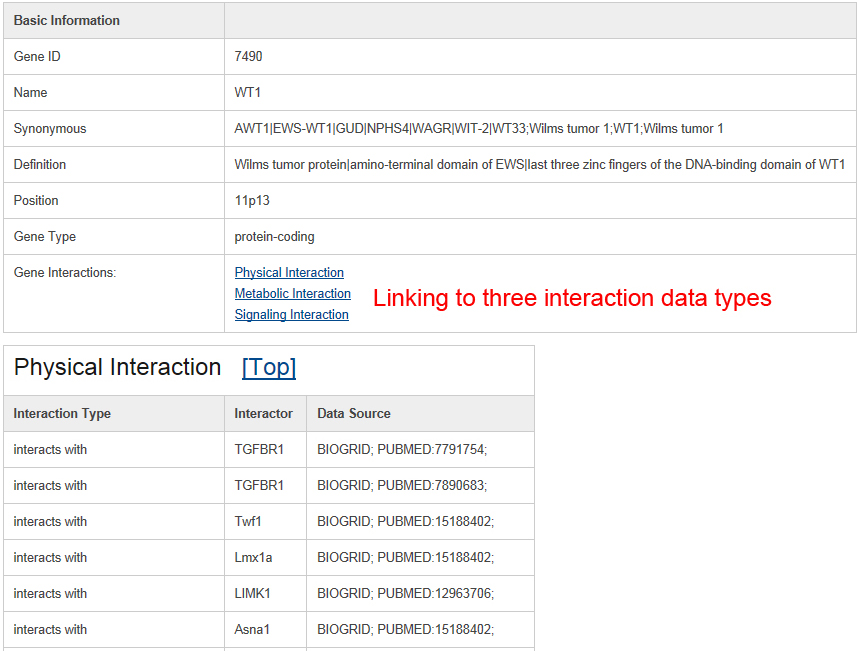
The gene interaction page appears as follows:All the related protein-protein interactions were collected from the PathwayCommon database; we further divided the interactions into three main types, including "Physical Interaction," "Metabolic Interaction," and "Signaling Interaction."
|
|
|
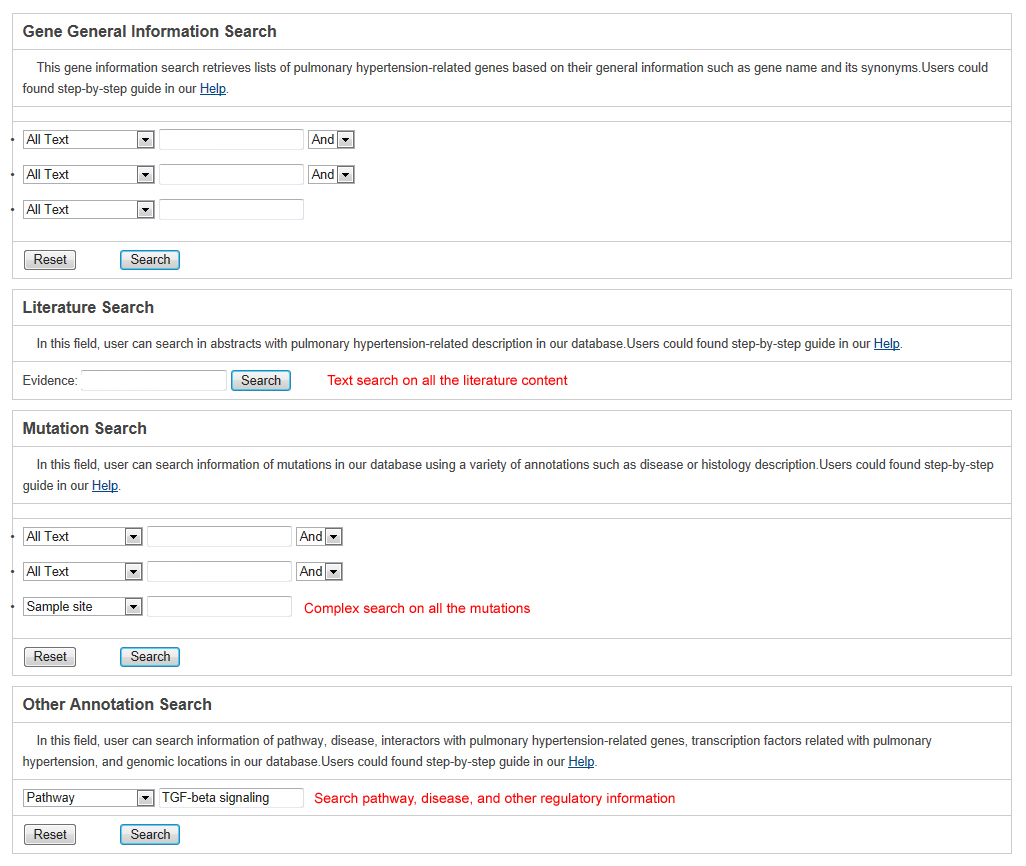
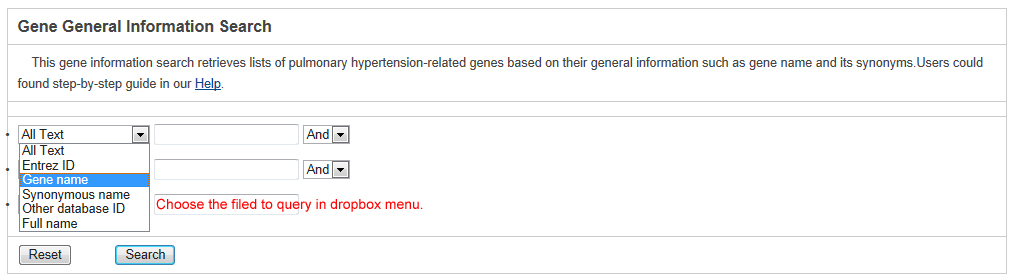
All the pediatric cancer genes and their annotations in our database are searchable. The text search (Query) and sequence-based blast (Blast) are provided. Text search of various annotation in our databaseUsers can search against the Pedican by typing its name, accession IDs and its characteristics, including genomic location, interaction partner, mutation, biological pathway, and genetic disease. In total, we provided four different search forms for users, including "Gene General Information Search", "Literature Search", "Mutation Search", and "Other Annotation Search" allow users to access general information, literature-based information, mutation, and other annotation information respectively.
The search is performed by typing keywords into any field separately or into several fields simultaneously in the query forms. Generally, text search information in the each searching form mainly includes three steps. Take the basic information query as an example below select a specific annotation or field from from the dropdown menu in basic gene information and mutation query forms.
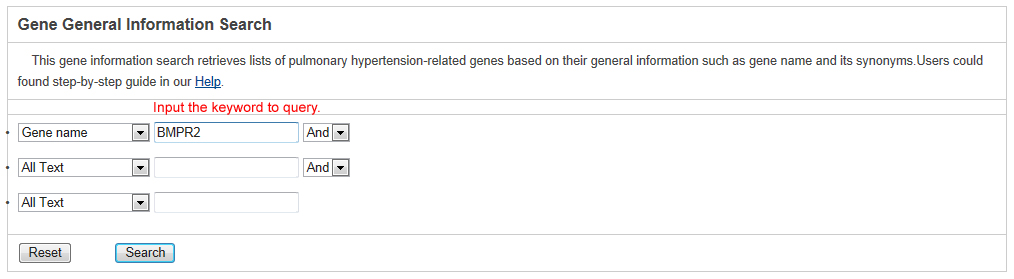
Input your interesting keyword.
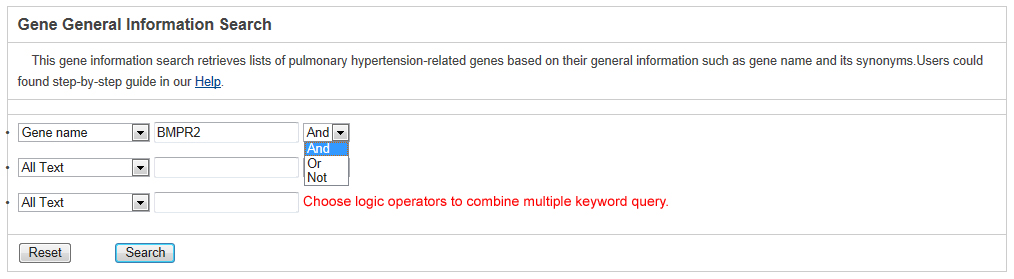
In addition, the basic gene information and mutation query forms support the logical 'And,' 'Or,' and 'Not' operators to combine multiple keywords.
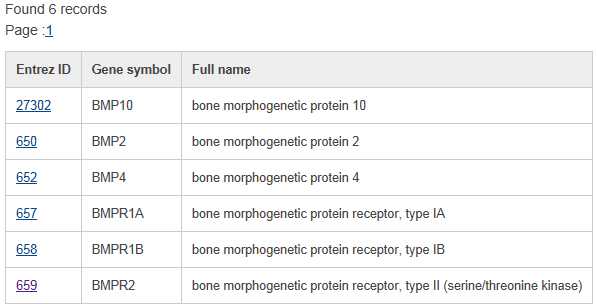
The search result shows the list of matched pediatric cancer genes linked to the detailed gene information page below.
Quick search a list of genes in database:To quickly access the information in the database, a quick search form is provided at the top of each page.
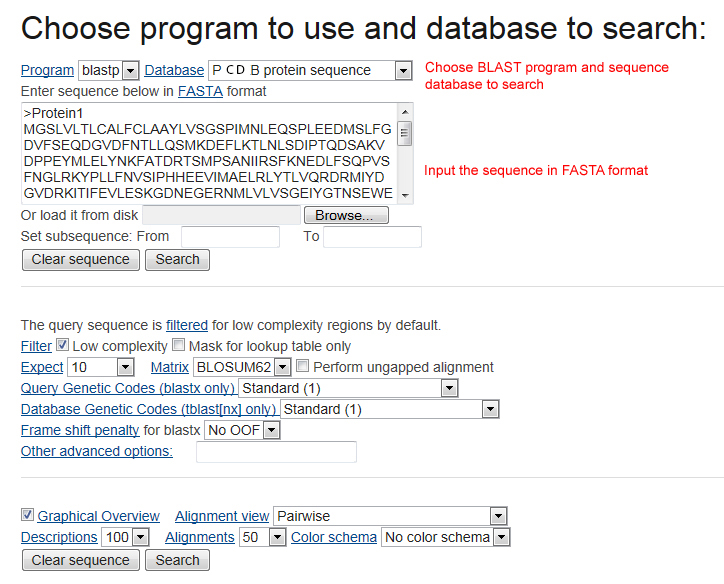
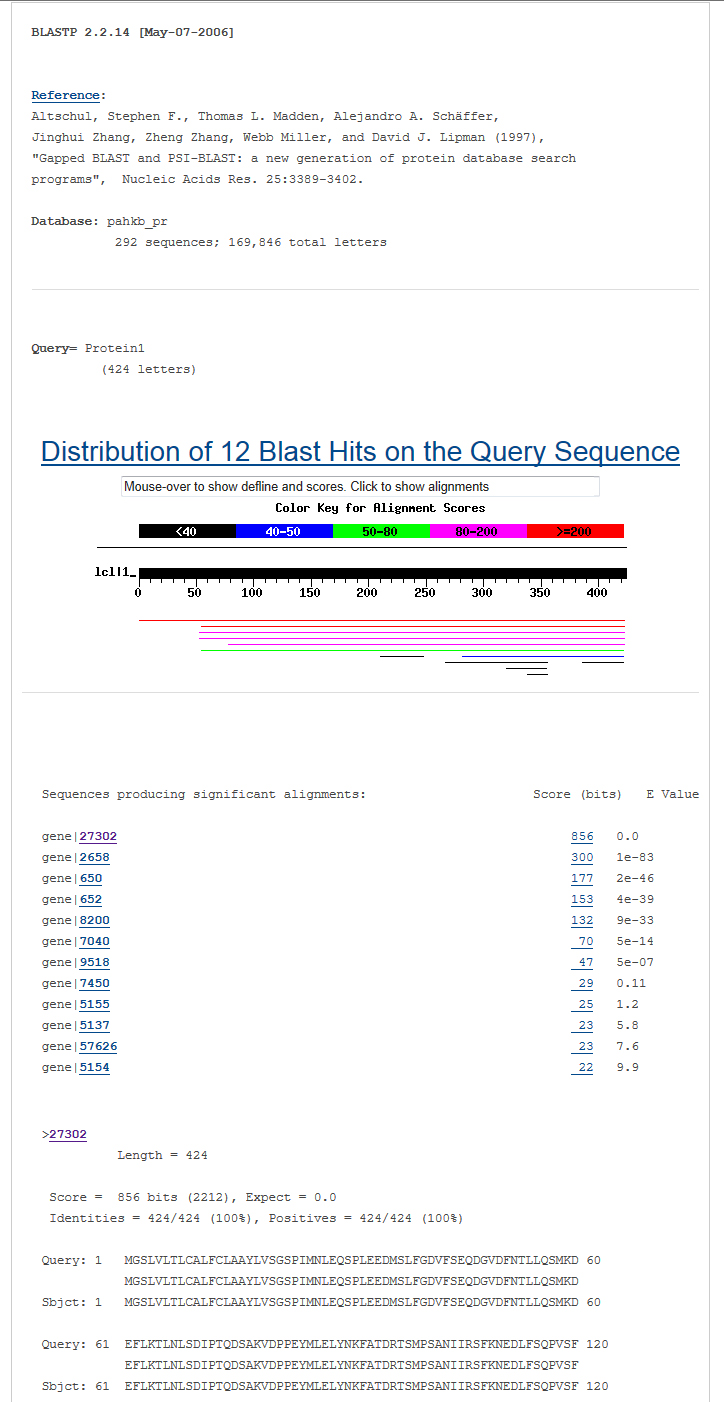
Blast all sequences of genes in our databaseIn the BLAST menu, users can search the Pedican database based on their input sequences. The high similarity pediatric cancer genes with input sequences will be listed in the BLAST result page. In the input page, users can choose various sequence alignment options such as E-value and identity. The matched sequence signatures are visualized on the query sequence. To do a sequence-based search for all the pediatric cancer genes, please access the BLAST pagepage.
The output of BLAST is as below |
Browse database [ top ] |
|
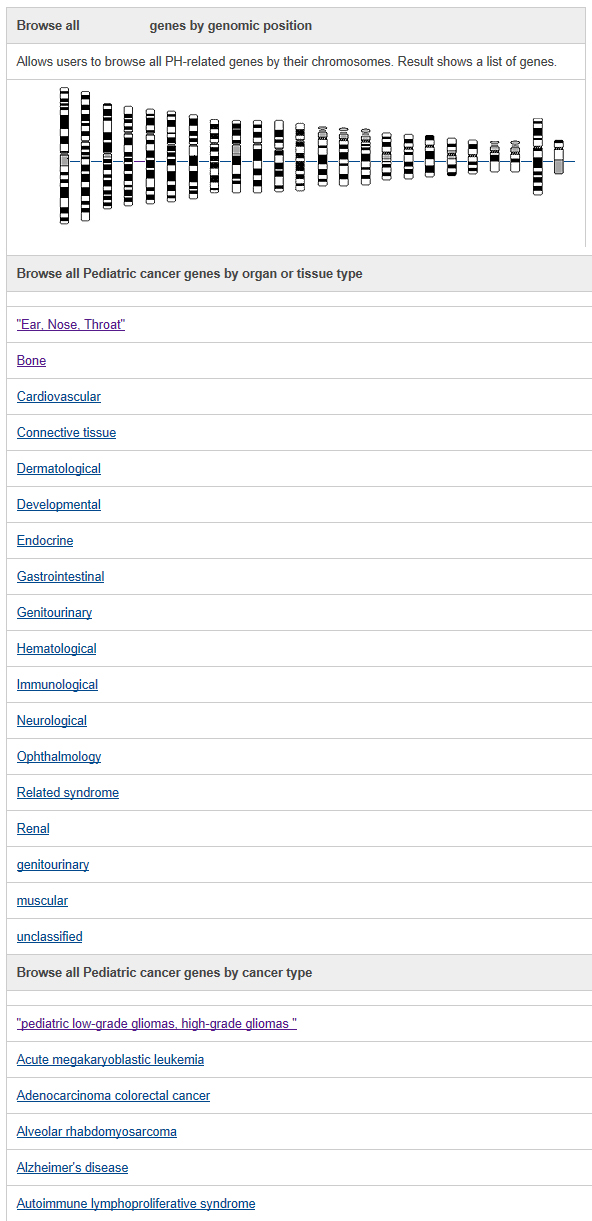
The Pedican database supports browsing pediatric cancer genes using cancer types and curated organ and tissue types. In the cancer type page, users can explore the 288 pediatric cancer types. In addition, to help users get a bird's eye view for specific topic of pediatric cancer genes, the classified organ and tissue types were provided. In addtion, Pedican also supports annotation-based browsing including chromosome. |
Using different chromosomesFrom the Browser page, users can browse the genes in Pedican by their chromosome location. Moreover, users can obtain the pediatric cancer gene lists from different cancer type and organ tissue information.
By curated gene fusion and chromosome eventsFrom gene fusion list and chromosome event list, users can easily browser all the reported gene fusion and chromosome abnormality.
|
Data analysis and download [ top ] |
Users can freely download all the pediatric cancer genes in Pedican for academic researchers, but not for profit purposes. Please access Download page.If users have any suggestion to add new comment to records in current Pedican or to revise wrong information in current Pedican,please send us email directly. |